Forum Discussion


CloverQ
3 years agoFormer Staff
Hi JA_Xtnow
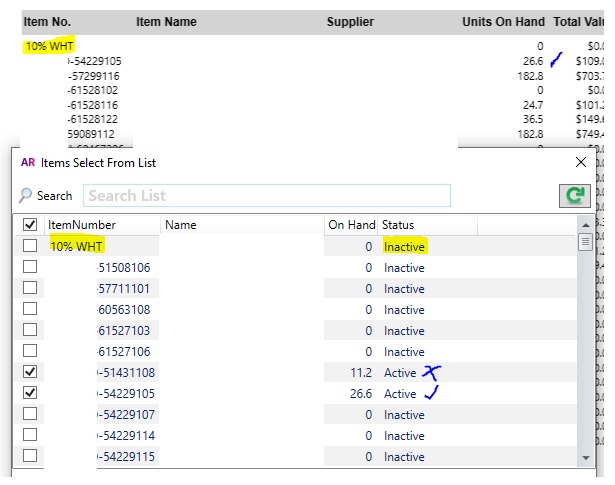
Thank you for the details and the screenshot. We are aware that there's a problem with the Item List Summary report not remove inactive items properly from the list, when the 'Show Inactive Items' tickbox is unticked.
This is something our developer teams are looking into, in the meantime, you can work around it by:
- Deselect the show inactive Items option
- Select all the desired Items
- Select show inactive Items option
- Click OK
- Run the report

JA_Xtnow
3 years agoMember
Thankyou for responding Clover but unfortunately the work around has not resolved the issue.
You can see the screen shot that the items selected are being replaced by inactive items.
- CloverQ3 years agoFormer Staff
Hi JA_Xtnow
Thank you very much for the update and screenshot, I've passed on the feedback to the relevant team for help with their investigation.
In the meantime, I'd suggest ticking all items then export the report to Excel for futhre filtering. Alternatively File > Import and Export Assistant can export all item fields promptly, the exported .txt file can be customised in Excel as well.
Looking for something else?
Search the Community Forum for answers or find your topic and get the conversation started!
Learn, solve, grow
Level up your skills and find answers across all MYOB products