Chelbelz
3 years agoExperienced User
Sales Invoice - need to change column on template
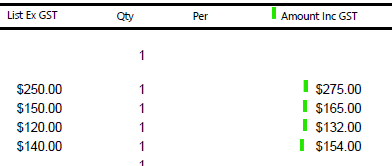
Please see the photos attached. I need to change the end column from "Amount Including GST" to "Excluding GST" and the 2 columns underneath. Could someone please provide the steps to do this?...
 3 years ago
Hi ShelliC,
I would assume that you are also the person behind the Chelbelz account. Thank you for clarifying the concern.
If we are customizing invoice forms. We could simply right-click on the table and click Show/Hide Columns. This will bring up what columns we could add or remove from the invoice.
Let us know of any troubles you might encounter while checking this. We'll assist further.
Cheers,
Genreve