Forum Discussion

16 Replies
Replies have been turned off for this discussion
 mayfield2 years agoExperienced User
- mayfield2 years agoExperienced User
I've already sent this history file, and I always use snip it
- mayfield2 years agoExperienced User
it won't let me send it again, but that is the screen i get when i click into the "applied to date" "history" button
- Mike_James2 years agoUltimate Cover User
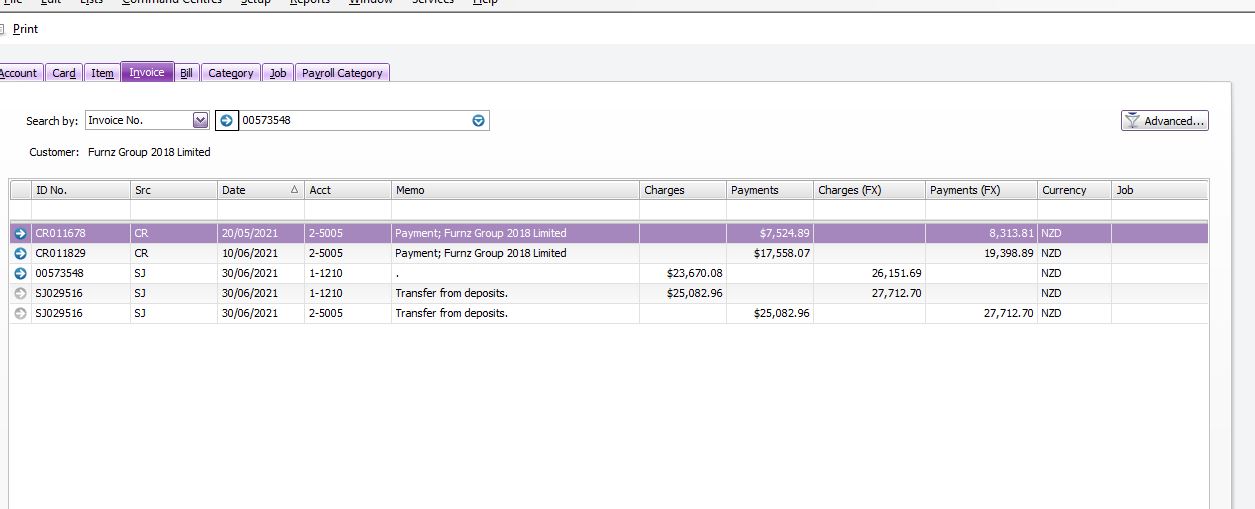
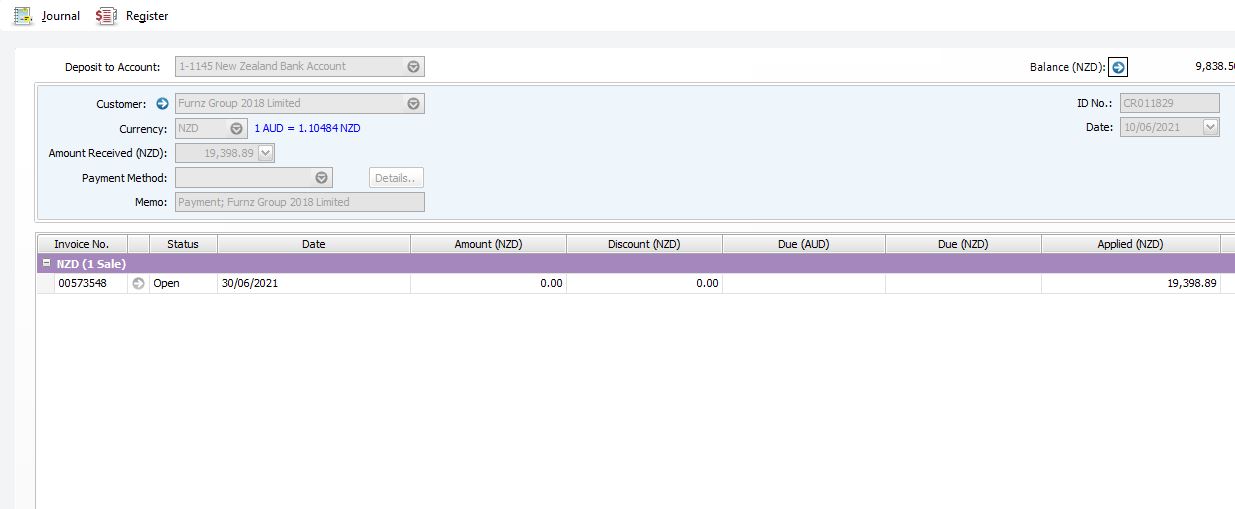
Thank you, so from the history screen, can you click the blue arrow on the first 3 lines, and take a snip of those 3 screens (the data entry screens) and post those?
I suspect the issue is around the FX and exchange rates.
- mayfield2 years agoExperienced User
Hi,
these are the only screens I can click into.
- Mike_James2 years agoUltimate Cover User
Hi mayfield , thanks for posting those screenshots.
I have created a similar series of transactions in the ClearWater sample file. The result of recording the second customer payment is that the order was overpaid by $1561.01. When I converted this to an invoice, a message appeared to say that a credit memo was being created, and an entry appeared in the settle returns and credits window, as per the attached. That credit can be refunded or applied to a future invoice.
All the transactions appear to have been recorded at the same exchange rate, so no FX variances arose.
I can't explain why that credit entry does not appear in your system. If it doesn't, then your file may need investigation by MYOB for a repair.
After the first customer payment of NZD$8313.81, the invoice balance was NZD$17837.88. I'm guessing that the customer believed that balance was AUD when they made the second payment, so possibly they paid you AUD$17837.88, which at a similar exchange rate works out close to the $19398.89 that was recorded.

Looking for something else?
Search the Community Forum for answers or find your topic and get the conversation started!
Find technical support and help for all MYOB products in our online help centre
Dig into MYOB Academy for free courses, learning paths and live events to help build your business with MYOB.