Forum Discussion
Tracey_H
3 years agoFormer Staff
Hi Selenab
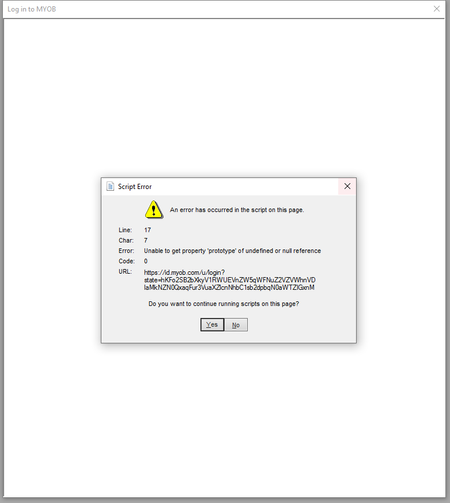
Can you please try the previously provided steps:
- Open the Windows Control Panel
- Navigate to Internet Options
- With the section: Browsing History, select the Delete... option
- With the window that is generated, ensure that you have ticked all the options apart from the last four and select Delete
If that doesn't resolve the issue please try:
- go to Control panel>>Internet options
- click Settings under the General tab
- click View files
- delete the contents of the folder
WLF
3 years agoExperienced Cover User
Hello?
- Selenab3 years agoExperienced User
The issue has been fixed after being on the support telephone line for 2 1/2 hrs.
- WLF3 years agoExperienced Cover User
oh ok, do you know what the fix was in the end?
Thanks
- Selenab3 years agoExperienced User
Not really no. We thought it may have been something to do with 2FA, but wasnt. Eventually I logged out of the file, logged into the sample file and then again my file and it worked. Mystery.
Looking for something else?
Search the Community Forum for answers or find your topic and get the conversation started!
Find technical support and help for all MYOB products in our online help centre
Dig into MYOB Academy for free courses, learning paths and live events to help build your business with MYOB.