Hi Kelly03,
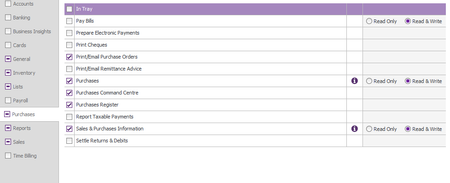
Nice one setting up limits for your purchasing officer. That's a smart move. If he can create the order but can't accept the items received, jump into Manage Roles, then head over to Inventory and check the necessary permissions there. Make sure he's got the right Inventory access ticked so he can receive items, not just create orders. Once that's enabled, the accept/record button should pop up properly for him.
If you've ticked everything there and it's still doing the same thing, best bet is to reach out to our live chat support through our virtual assistant, MOCA, or submit a case via My Account so the team can take a closer look at the role setup with you.
Regards,
Sai