Trouble restoring old backup file


Hello Genreve_S
When I open the desktop application I select MY LIBRARY and open the file from there - I believe this is the OFFLINE version.
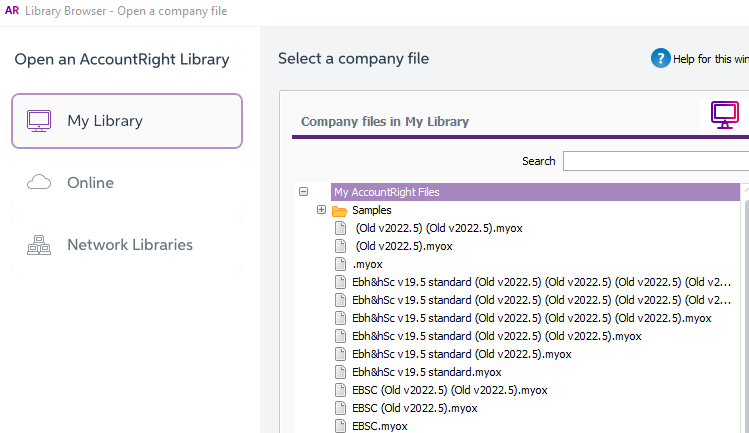
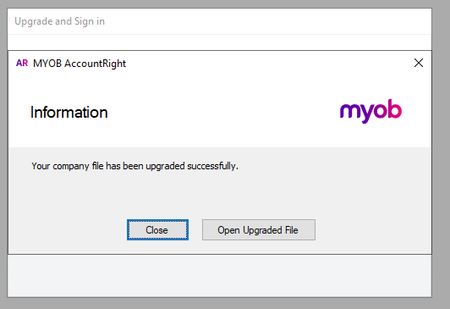
As you can see in the screenshot I have tried multiple files and followed the prompts to upgrade the file each time. Which has created the duplicated files.
I need to review this old companies files for the last 10 years and I have backups for this business going back to MYOB Premier9 2002.
Any assistance you can offer is apprieciated as I have a limited time frame to complete my review of these old files.
Thanks

Hi ntoumba,
Thanks for the response. We appreciate your time adding more details and confirming if the file was offline.
Continuing with your concern, please follow the steps below and update us if this fixes the issue.
Let us know if you require any further help with this.
Thanks,
Genreve
Hi Genreve_S
Thanks for the instructions - I am having some trouble completing these steps can you please advise:
In Step 1 - I have downloaded the ffirst link and it asks me for a location to install it to and I am not sure where extract the files to.
In step 3 - when I run the Hotfix Tool and try to browse to my back up folder it does not recgonise the .MYO files.
Not sure if this means I am doing it wrong?
Thanks
Sorry Extra Update - I have been able to access the last .MYOX backup file but I still cant open the previous backup which are .MYO files
Hi ntoumba,
Thank you for responding and updating us regarding your concern.
The Hotfix tool is only used for .myox files. If the file is a .myo file, you will need to open the file using AccountRight and upgrade that file first.

If the backup file is inside a compressed zip folder, restore a backup instead. (restoring a backup will automatically prompt you to upgrade it to a .myox file)

Generally, you can open the file directly after upgrading to a .myox file without using the Hotfix tool. It is only when the file is confused about what version it should be using that we require the use of the hotfix tool.
Let us know if you require any further assistance with this.
Thanks,
Genreve
Search the Community Forum for answers or find your topic and get the conversation started!
Level up your skills and find answers across all MYOB products