
Kinma
1 day agoMember
Printing Issue
I keep getting this error message every time i print from MYOB to get around this problem i export to PDF and then print that. This appeared lat week for the first time and still persists. is th...
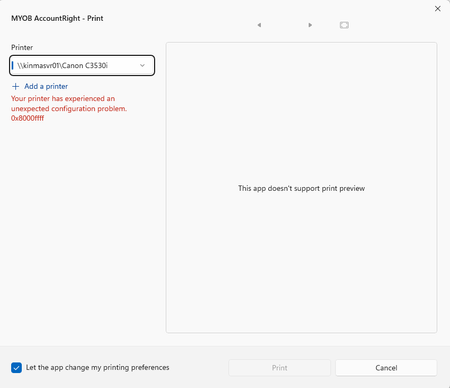

Hi Kinma, thanks for sharing the screenshot. The 0x8000ffff message usually points to a Windows or printer-driver configuration issue rather than the report itself.
Could you try printing to the same Canon printer from Word or Notepad? If it fails there too, your IT support may need to update or reinstall the printer driver. If it works from other apps, try selecting Microsoft Print to PDF or Microsoft XPS Document Writer in AccountRight.
Exporting to PDF is a suitable temporary workaround while the printer setup is being checked. You can also find more troubleshooting steps here: Printing from AccountRight.
Regards.
Genreve
Search the Community Forum for answers or find your topic and get the conversation started!
Level up your skills and find answers across all MYOB products


