Edit Menu Greyed out since last update
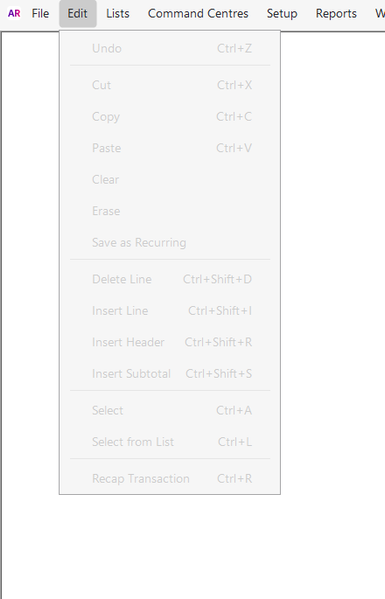


To help fix this, please make sure you have a transaction open on your screen this will allow you to access the edit option. If you're currently on the Command Centre tab, the edit option will appear greyed out since there's no transaction selected to edit.
Let us know if you need help opening a transaction or navigating through the steps we’re happy to guide you!

Updated MYOB version today and suddenly the entire Edit function is greyed out other than Reverse sale which I DO NOT NEED. I simply want to delete one line and add another to an invoice that has not yet been posted. Time consuming and annoying. We should not have to call a representative for an issue that was ok prior to updating. It does not matter if I have the transaction open or not, entire area is greyed out.

Hi 1000000,
That's a bit of a pain. You go to make a quick tweak and the whole Edit menu isn't playing along. A quick trick you can try in the meantime, just right-click on the line in your invoice and you'll see the option to delete or add another line without needing the Edit menu. Also, sometimes a simple close and reopen of the desktop app can give things a bit of a reset.
If it's still giving you grief, best thing to do is jump onto our live chat support through our virtual assistant, MOCA, or submit a case via MyAccount. The team can check your account and fix it for you.
Regards,
Sai
Search the Community Forum for answers or find your topic and get the conversation started!
Level up your skills and find answers across all MYOB products


