
JackieW
7 months agoTrusted Cover User
Log in issue
I am trying to log in to my desktop Accountright and I am receiving an error message. Refer to the attached photo. i have tried running Task Manager and it keeps cycling, I also tried a forced shut...
- 7 months ago
Hi JackieW,
Appreciate for sharing the screenshot, super helpful! Script errors are typically caused by data that has been cached within the browser. To avoid these, you'll need to Clear the browsing data by going into Control Panel and Selecting Internet Options;
> Then under Browsing History select delete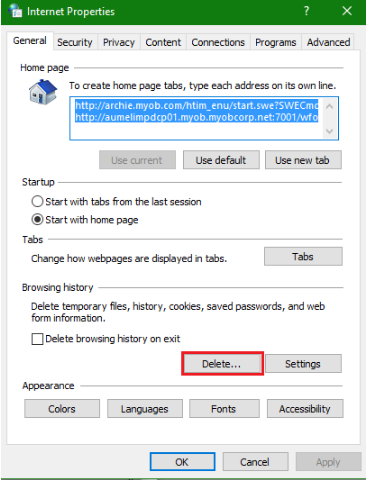
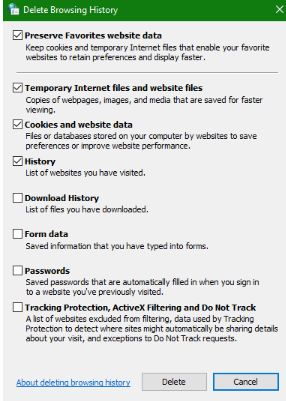
> Then select the options displayed (attached) and click delete.
I hope this helps!
Regards,
Earl


