Hi all,
Further to the above post, here is some additional information on the issues caused by the recent Windows update and how to overcome these.
Having trouble using the AccountRight Tool / Hotfix?
- Please ensure that your file path and name do not include unusual characters such as % + - &.
- Also ensure that your file is not marked as Read Only in windows, and that no other users or programs such as antivirus or automatic backup software are scanning the file.
Are you finding that AccountRight is printing blank pages since the Microsoft .net security update?
- Please use the link below to identify and uninstall the KB that is relevant to you.
https://technet.microsoft.com/en-us/library/security/ms16-035.aspx
OR
- If you'd like to avoid removing the Windows updates, you can choose to Print to PDF or XPS Document Writer.
Having trouble checking out your online company file?
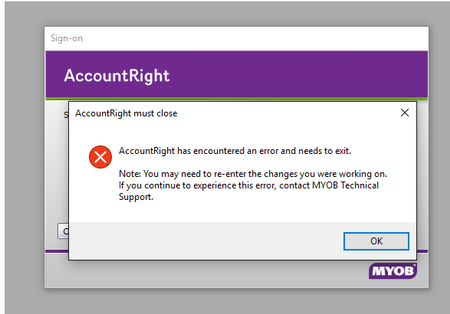
You may receive the following error message when trying to check out your company file:

- To overcome this, please Confirm your company file by going to Help >> Confirm Your Company file. When the Confirmation window appears, choose to confirm the company file online and then click Next.
Unable to open Clearwater since update?
- There is currently no workaround for this. Our team are working on providing a replacement Clearwater file to overcome this.