DJB
6 years agoExperienced User
Adding a link to Outside Website to emails
Hi I want to add a link to our "B2B payment site" in our Invoice Emails. Is this possible? e.g. To pay after hours – click here
- 6 years ago
Hi DJB
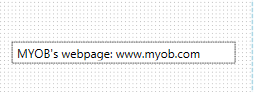
Yes, you can do so in the custom form for the invoice under Setup>>Customised Forms.In order to achieve this, you will add a text box and in your text, add in the full link address to that relevant page. For example www.myob.com.au
So in your case if you wanted to have a link to your B2B payment site, you would need to have a text box that shows something similar to the following: "To make the payment go to <insert full link to website>" When this is sent to the email recipient it will appear as a hyper link for them to click on.
For more information into how to add a text box to a customise form please see Help Article: Personalising forms.Let us know if you have additional questions on this.