Forum Discussion

Angelacjj's avatar
Angelacjj
Contributing User
6 months ago

Manage role-Purchase problem

Hi


i have set up a user for entering supplier bills (role purchase", and i have edit the "purchase" in manage roles to NOT allow bank payment edit. it works ok in the desktop version, when the user log in. The payment tab in the card list is grey out.


But if the user goes into online version "contact", he has no restriction in seeing or editing the bank information of suppliers.


How can i fix this?


Thank you

3 Replies

  • Earl_HD's avatar
    Earl_HD
    MYOB Moderator
    6 months ago

    Hi Angelacjj,

    That’s a good catch, the browser version does have fewer options compared to the desktop one. That’s why you’re not seeing the extra drop downs for managing user permissions online. 

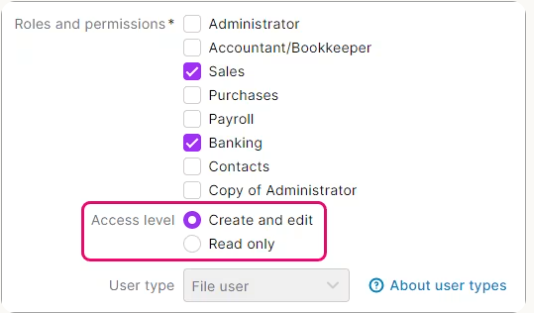
    What you can do in the browser is head over to the Users and Permissions section. From there, just tick the roles that are relevant or applicable to each user. There aren’t any other detailed settings or dropdowns like in desktop, so the online version is pretty straightforward, just select the roles you want them to have.


    More information here: Manage users

    Regards,
    Earl

  • Angelacjj's avatar
    Angelacjj
    Contributing User
    6 months ago

    I have checked online manage user, it was correctly select purchase, but there's no further drop down list to be selected or unselected like the desktop version. What should I do next?

  • Isaiah_C's avatar
    Isaiah_C
    MYOB Moderator
    6 months ago

    Hi Angelacjj,


    Sounds like you've done a great job setting up the user roles in AccountRight and good on you for noticing the difference between the desktop and browser versions. You're right, the restrictions work nicely in the desktop app, but in the browser version, some permissions (like editing bank details under Contacts) can sneak through if they're not managed there too. You'll want to make sure roles are managed in the browser as well. Here's a handy link that steps you through it: Manage users.


    If you've updated it and it's still playing up, best to reach out to our live chat support through our virtual assistant, MOCA, or submit a case via MyAccount.


    Regards,

    Sai