MYOB over calculating Super amounts
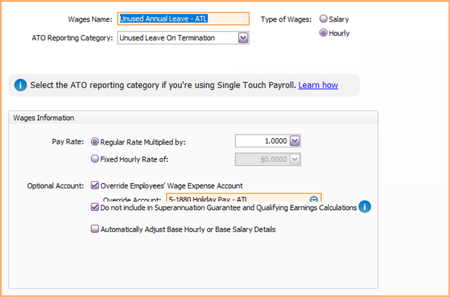
Hi Everyone, I noticed whilst processing the payroll this week that the Superannuation amounts are being calculated around 12.74% and not the standard 12%. Everything in the backend is set correctly and all employees have been assigned correctly, we have not issues last week.39Views0likes1CommentFlare invitation
Hi, Would MYOB please fix the bug that when an employee's onboarding invitation is deleted their employee's record is also deleted. I needed to change the employee's email address and this cannot be done without deleting the invitation. If resend is chosen, it sends to the old email address. Thanks kindly, Bronwyn101Views0likes2Comments
Super Payment Failed
Have been using the MYOB super payment for the last month, all payments have gone through without trouble. Trying to make first payment in this financal year have received message payment failed. The employee list has not changed, no red boxes to say issue with anyone, but cannot work out how to resend / start again to make the payment. Any ideas?385Views1like10Comments
Existing Employee change of Super fund
Hi, To update the new super fund Information for an existing employee can I use the employee self-onboarding program? Will this update the form that he previously submitted and also update his Super information or do I need to enter it manually? Thanks, JenniSolved456Views0likes6Comments
Employees not appearing in Payroll Processing
Hi everyone, We have an issue with three employees suddenly not appearing in the Payroll Processing screen when processing payroll in bulk. This first occurred during our pay run on 22 July 2026. We completed another pay run on 5 August 2026, hoping the issue would resolve itself, but the same three employees still did not appear. There have been no changes to their employee card files or payroll settings that we are aware of. Interestingly, the employees do appear when we process their payroll individually, so we are able to pay them separately. However, they do not appear when we process the payroll in bulk. As a result, we have had to run four separate pay runs to process these employees, which is causing additional work and is not an ideal solution. Has anyone experienced this issue before, or know what could be causing certain employees to be excluded from the bulk Payroll Processing screen? Any advice would be greatly appreciated. Thank you!90Views0likes1Comment
Year-to-date verification report 2025/26 has changed
An Employee was about to do his tax, and his income has changed on his Income statement. When I run the Year-to-date verification report 25/26, all the totals have changed by approx 60%. Employees who have already done their taxes are correct, but the others are wrong. When I printed off payroll reports and a Verification report on 2/7/26, they all matched. Today, when I printed the Verification report if is completely different. What has happened? There have been a few MYOB updates since I finalised year-end 2026.89Views0likes1Comment
Payslips
Hello We pay some of our employees a travel allowance to cover travel expenses. The allowance is not reportable because it is equal or below the ATO reasonable rate. My manager paid travel allowances to two employees at the end of July after I had already processed the July payslips. I normally enter the travel allowance amount on the payslip under the travel allowance pay roll category. Should I create an unscheduled payslip for each employee just with the travel allowance, or do I need to reverse and reprocess the last payslip to include the allowance? Thank you:)Solved122Views0likes2Comments