Intray email not get invoices to intray
We have an email forward on our invoices email account to send email on the my myob intray email address. We have checked this in exchange message trace. Even our Myob invoice from Myob didn't get the to intray. The messages are being delivered as can be seen from the message trace. Due to this we have missed paying invoices. What steps can be taken to fix this issue ?
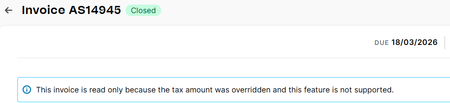
Cannot print or edit the invoice in MYOB (web browser)
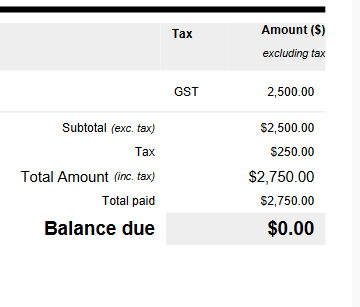
Hi there, When I was about to print the invoice and send it to the customer, I found out that I was not able to do so as I used to do. And that is what it showed to me as the reason, whereas I do not understand what caused it since the tax amount is still 10%. Could anyone tell me why is that? Kind regards, JohnInvoices not sending
Hi I have recently joined myob business a month ago. I also use myob for another company with no issues. Since signing up for this one invoices will not send. It says saving and emailing but no one ever receives it and the activity log does not change. Not good for a small business starting up. Please help
Corupt invoice 1 in 10 -frustrated!
Corupt invoice 1 in 10 very frustrating. I am constantly getting customers coplaining about this. I re-issue the invoice and all seems okay. But the question is WHY! is it happening. Invoice shows a red line on Left hand side. It seems to occur when invoices don't get sent imidiatly and are delayed for some reason wich is also frustrating if a customer is waiting.Solved
Display an alternate business address on customer invoice
In MYOB BUSINESS PRO I have created an invoice template with a logo and I want to display the "trading/site" address which is different from the main business address. My ABN is registered to my home address, but I want my shopfront address on the invoice. The edit template in 'Sales Settings' does not have any option for an alternate address from the one set up in 'Business Settings'.79Views0likes1CommentNew variable for invoice emails
Our company is a cleaning business, we don't want something like the current default in the subject line that feels impersonal. Invoice INV00000964; Invoice from Company Name Pty Ltd in the subject line, it's not that inviting and has an automated feel to it. I suggest a new variable be added (see https://www.myob.com/au/support/myob-business/business-settings/forms/sending-emails/set-up-your-default-email-messages) Something like Invoice for {{customer street address}},{{customer suburb}} The first line of the address would be perfectly fine, so the default subject line in invoices we email out would be something like: Invoice for 123 DirtyHouse Rd, Boganville We currently have to manually delete the default subject line and type it out manually. It would save us a heap of time, and I am sure there's many other mobile service based businesses who would like to have a more personalised approach with their customers. I reckon this would a super simple change for MYOB to implement! Thanks for reading and please upvote if you would find this useful :)192Views0likes4Comments
Can I assign a bill to invoices
I have a Supplier, who also from time to time can be a customer. Currently, I have an invoice for them and I also have many different bills from them. How do I pay them once for the bills (less the invoice) and assign both the bills and the invoice (as being paid) in MYOB?
Reversing accidental payment
I’ve accidentally applied a manual "Record Payment" to the wrong invoice instead of the one i was supposed to record it against. Could someone please guide me on how to reverse this, so the vendor can make the payment on the invoice? At the moment, when I try to send the invoice, it shows as $0 due. Thank you!Solved295Views0likes2CommentsCan't edit or credit an invoice
I have invoices being sent as Time Billing invoices from another application that are incorrect. In the browser I cannot edit this invoice or remove it in any way. There does not seem to be a way to issue a credit. Looks like the only thing to do is to manually create a negative invoice to offset it, but it will still remain open. Is there any solution to this?