Share Your Ideas
Got a game-changing idea? Share it, vote on what matters, and help shape the future of Solo. Your input drives real improvements!
Upload receipts from OneDrive direct to SOLO
Hi, I often have receipts that I upload to a business folder in my OneDrive as I purchase on behalf of the business owner, and when I get to checking expenses in the SOLO if the receipt is missing, I can then attach it, however there is no option to upload direct from OneDrive. It would be great in the future if we that could be an option as it would cut down several steps. thanks25Views0likes1CommentExpense Search ideas
Hi, I would like to offer some suggestions in regards to the search function, in expenses. MYOB SOLO. it would be very helpful if we could search for an expense using a custom date range, this would be so helpful, as currently I need to scroll all the way through the year to look for transactions that do not appear when I search for specific $ amount or via keywords.26Views0likes1CommentCopy an invoice: Save yourself the typing!
Need to send an invoice that’s basically the same as one you’ve already sent? Don’t build it from scratch. Copy it and save yourself the time. Copying an invoice creates a new invoice using the details from an existing one, so you can make a few tweaks and get on with your day. How to copy an invoice Head to Money in. Scroll down and tap View all invoices. Open the invoice you want to copy. Tap More, then Copy. Solo will create a new invoice using the same customer, items, discounts and note to the customer. Give the details a quick once-over, make any changes you need, then tap Save. And that's it. No retyping the whole thing. 🙌 What gets copied? Solo carries over the bits you’d probably rather not type out again: Customer details Items Discounts Note to the customer Before you send it A copied invoice is a new invoice, so there are a couple of things worth checking before you hit send. The new invoice will have: Today’s issue date A new invoice number Give the customer, invoice details, payment terms, due date and amounts a quick check to make sure everything is looking spot on. Need to change the due date? When you copy an invoice, the issue date updates to today’s date. This can also change when your customer is due to pay. If you’re using a custom date, the due date will default to 7 days, so make sure you double-check the dates before sending. Want to change it? Just tap Payment terms, update the dates, then tap Save. One other thing to know: your copied invoice will get a new invoice number, which continues on from the last invoice you created. Once everything looks good, send it straight away or save it for later. Copy. Tweak. Send. Done.23Views0likes0Comments
Duplicate Bank Transactions
I have an open support ticket now for nearly 6 weeks regarding a systemic bank feed duplication glitch in MYOB Solo. My accountant cannot file my compliance paperwork or do my books due to the volume of duplicates. I need a Bank Feeds Specialist to escalate this and wipe the duplicate feed stream between 1 July 2025 until today’s date immediately. I am continuously being told a that it is being worked on and need to get my tax down. Can you please sort this out by Friday. Thanks Nic28Views0likes1Comment
RBA card payment surcharge changes are coming
2 MIN READ If you accept card payments or use Tap to Pay, there’s a change coming to surcharging, and it’s one to keep on your radar. Following a Reserve Bank of Australia (RBA) review, from 1 October 2026, eftpos, Visa, Mastercard and Amex will be introducing new rules to no longer permit businesses to surcharge card fees on domestic payments. For businesses, this means card fees can no longer be passed on to customers as a surcharge on any payments after this date. Join our free webinar Join our free webinar, RBA surcharge changes: what to expect from 1 October 2026, to understand what these industry changes mean for your business. We'll walk through practical steps you can take to prepare, what to expect in Solo, answer common questions, and share resources to help you get ready. Date: Thursday 10 September 2026 Time: 12pm AEST Where: Online webinar Save your spot What this change means for Solo We’re updating the invoicing and payment workflows, to ensure our invoicing feature remains a simple, secure, and compliant way to accept payments online and in person. This includes removing surcharging functionality, enhanced reporting on how your customers pay you. This change is worth keeping on your radar and we’ll keep you updated as more details become available. We’ll share guidance on what it may mean for your invoicing experience and settings. Keep an eye on the Community or visit the Surcharge Change hub for updates. This page provides general information for Solo customers about upcoming changes to card surcharging rules affecting Online Payments and Tap to Pay. It is not legal or other professional advice and should not be forwarded to your customers. Requirements may change from time to time, and you are responsible for understanding and complying with applicable laws, card-network rules and payment-service terms. For more information, see the ACCC guidance on card surcharges and the relevant MYOB Invoicing Service Terms and Conditions or MYOB Tap to Pay Terms and Conditions.90Views0likes0Comments
Worst Sole trader experience 0/10
This is absolutely ridiculous. I cancelled MYOB Solo LAST YEAR but apparently it remained active on your end. I have now received an invoice for almost $100 for it. I've gone in to the website to find some help to sort out the issue, and have hopefully cancelled my account properly, but have been trying to talk to someone about cancelling the random invoice for a service I have not used in over a year. I keep getting redirected in some kind of chatbot-fuelled hell spiral with zero actual help or support when it is needed. Worst website design and most user-unfriendly app/service I've dealt with in a long while. No, actually, I had no desire to go through registering as a member in the forum just to request to not be a customer any longer. I even got a badge for participating, how cute!!! Yeah, no. That is the most counter-intuitive design choice possible. The waste of my billable time on this headache is now financially equivalent to the original invoice I am contesting, thanks for that. PLEASE CANCEL THE **bleep** INVOICE AND NEVER CONTACT ME AGAIN. CHEERSSolved73Views0likes3Comments
Cancel Subcription
I am experiencing what appears to be the same issue and, having now seen the number of similar posts in this community, I am increasingly concerned about how MYOB is handling this. I signed up for MYOB Solo approximately a year ago when it was offered as a free product. I used it for about a week, decided it did not meet my needs and have not used it since. I hadn’t thought about the account again until I suddenly started receiving invoices from MYOB a few weeks ago. The first was for approximately $11, apparently retrospectively charging me for the previous 12 months. I do not recall ever agreeing or consenting to a paid subscription for that period. The second was a credit of approximately 50 cents relating to incorrect billing. The third, and the first that really brought this to my attention, was an invoice for approximately $100 for another 12-month Solo subscription, covering August 2026 to August 2027. Again, I have not agreed to or authorised this subscription or this charge. The notification I received was also after the date from which MYOB says the new subscription period commenced. I have now tried repeatedly to resolve this with MYOB. I have called three times, attempted to use online support/chat and contacted MYOB by email three times. I have explicitly disputed the subscription and withdrawn any authority to debit my credit card. Despite this, I have received no substantive response and continue to receive notifications stating that MYOB intends to automatically debit my card, with the payment now due tomorrow. I have also attempted to cancel the subscription, without success. At this point this goes beyond poor customer service. MYOB is on notice that I dispute the existence of this paid subscription and do not authorise the payment, yet I have been unable to get anyone to stop the debit or provide evidence showing when or how I supposedly agreed to these charges. I would like MYOB to urgently: stop the scheduled debit and cancel the subscription • explain when and how my free Solo account was converted to a paid subscription • provide the notice MYOB says it gave me before introducing these charges • provide the contractual basis or consent MYOB relies upon for the retrospective charge, the annual subscription and automatic recurring payment. Given the number of customers reporting similar experiences here, I think MYOB also needs to address whether this is a broader issue rather than treating each case in isolation. If MYOB proceeds with debiting my card despite being expressly notified in advance that the payment is disputed and not authorised, I will dispute the transaction with my card provider. I am also prepared to raise the broader conduct with the ACCC and the appropriate consumer affairs body if it cannot be resolved. I would appreciate someone from MYOB actually taking ownership of this and responding before the debit occurs.148Views0likes4CommentsConnecting more bank accounts in Solo
Hey Solmates — this one comes straight from you. 👏 A couple of you floated the idea of connecting more than two bank accounts in Solo — and honestly? We get it. Different accounts for different parts of your business just makes sense. So we're putting it to the community. Drop a comment below telling us how many accounts would hit the sweet spot for you. (and don't forget to cast your vote so our Product Team can see just how much this matters. 🗳️)$50 Solo Money Incentive
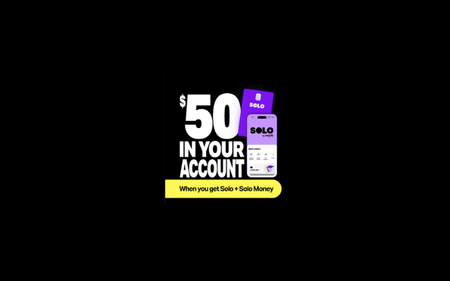
1 MIN READ Business admin and finances feeling like a hot mess? Get Solo and Solo Money working together. Business and banking without the back and forth. Your money tracked, admin tackled and $50 in your account. Limited time offer! Complete your Solo Money set up by 30th September 2026 (extended) and you’ll get $50 deposited into your Solo Money account. Payment made by Great Southern Bank. Eligibility and T&Cs apply.768Views0likes5CommentsSolo Money signup stuck in 'stretching code legs' loop for over a week - Chat support stuck
Hi community team, I am hoping a forum moderator can escalate an ongoing backend issue with my account, as standard chat support has been stuck on it for over a week with no result. Every time I try to access my Solo Money screen inside the Solo by MYOB app, it starts loading with a "stretching our code legs" screen, and then immediately boots me to a "Session is expired or invalid" error. I have tried every local troubleshooting step possible: Force closing and deleting/reinstalling the app. Testing on an iPhone, an Android tablet, and entirely different internet connections (Wi-Fi vs Mobile Data). Because the error follows my login profile across all devices and networks, this is definitely a server-side profile lock or a corrupted registration state on the backend database. Worse yet, clicking the help/chat icon inside the app throws the exact same "session expired" error because it relies on the broken token, heavily restricting my ability to communicate with support. Since front-line chat support is still "investigating" after 8+ days, can a community manager please look up my account details and get a system engineer to manually clear or reset my pending Solo Money signup status so I can start fresh? Thank you.59Views0likes1CommentInvoice Reminders
How do invoice reminders automatically turn off? They don't turn off when the client pays, it appears you have to manually match the invoice and then the reminders will turn off. Is that correct? Is there a faster way so client don't continue to get reminders, even though they have paid, but you haven't Matched their invoice yet? Thank you22Views0likes0Comments